If you spend hours glued to a screen, you probably know back pain and fatigue a little too well. Ergonomic chairs promise support, but sifting through the options—wow, it can get overwhelming.
This article unpacks the top ergonomic chairs tuned for tech pros, students, or anyone who lives online. Expect clear recommendations, feature breakdowns, and tips to find your fit—without tech jargon or salesy hype.
This resource is perfect for professionals, remote workers, gamers, students, or anyone facing long desk hours.
Ergonomic Chairs for Better Productivity
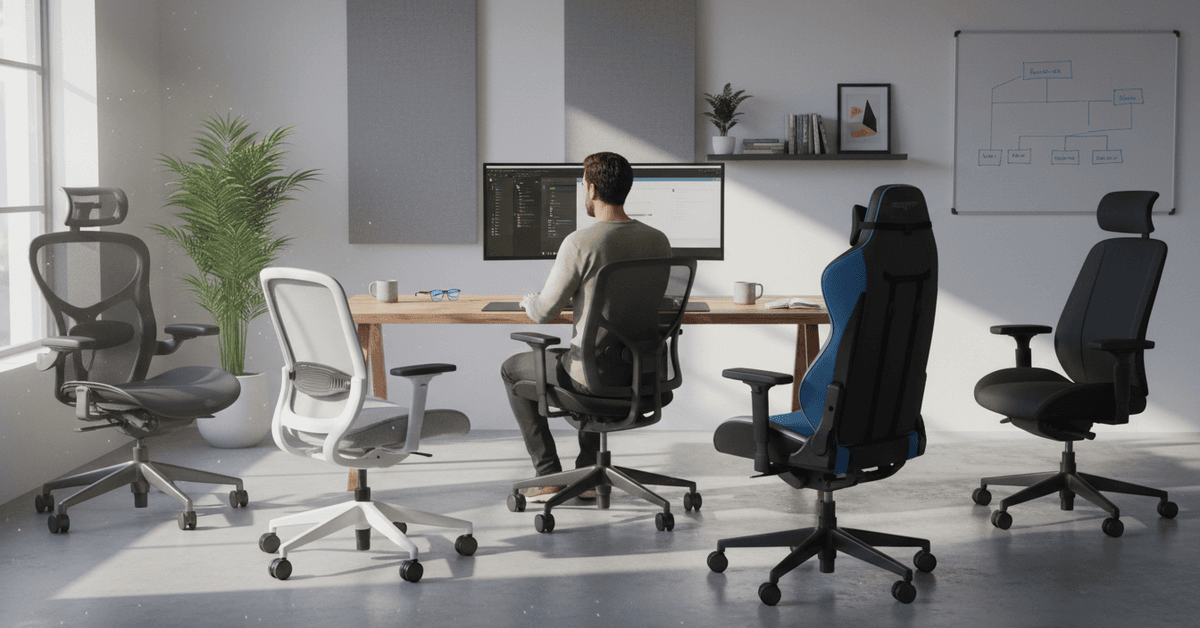
Many underestimate chair choice, but comfort and healthy posture could make or break your workflow. Have you ever noticed how slouching creeps up when you’re deep into tasks? It’s more dangerous than it looks.
Poor seating pulls your focus away and even sparks long-term pain. That’s not just inconvenient—it can cripple your productivity and mood.
Ergonomic chairs help counteract these downsides, supporting your natural posture and letting you concentrate longer, feel less tired, and recover faster between work sessions.
For digital creators, students facing endless online lectures, or anyone fielding waves of emails, these benefits matter.
Maintaining focus (and, honestly, motivation) gets easier with better back and neck support. I’ve tried budget desk chairs—they wore out quick, and so did I. Investing in ergonomics means you’re investing in your own efficiency.
Key Features to Look for in an Ergonomic Chair
Choosing an ergonomic chair is easier when you know which features actually affect daily comfort. The right chair should support your posture, reduce pressure, and adjust to the way you sit during long desk sessions.
Adjustable Seat Height and Depth
Choose an ergonomic chair that lets you adjust the height so that you can rest your feet flat on the floor. The depth of the seat matters and should always support your thighs without pressing the back of your knees.
Lumbar Support
A strong lumbar support is one of the most important pillars when it comes to looking for the best ergonomic chair.
This is highly recommended if you feel constant discomfort from your back especially when working for hours. An adjustable lumbar support can help position your back.
Breathable Materials
The materials on your ergonomic chair should always be comfortable. Look for breathable materials that will help improve airflow such as mesh backs and seats. This reduce heat and the buildup of moisture.
Adjustable Armrests
A customizable armrest also helps with preventing strain on your arms, wrists, and shoulders. Look for an ergonomic chair with armrests that can move up, down, inward, outward and even pivot slightly.
This also helps with mobility which is a feature that makes daily comfort especially if you are busy at work.
Top Ergonomic Chairs for Desk Work
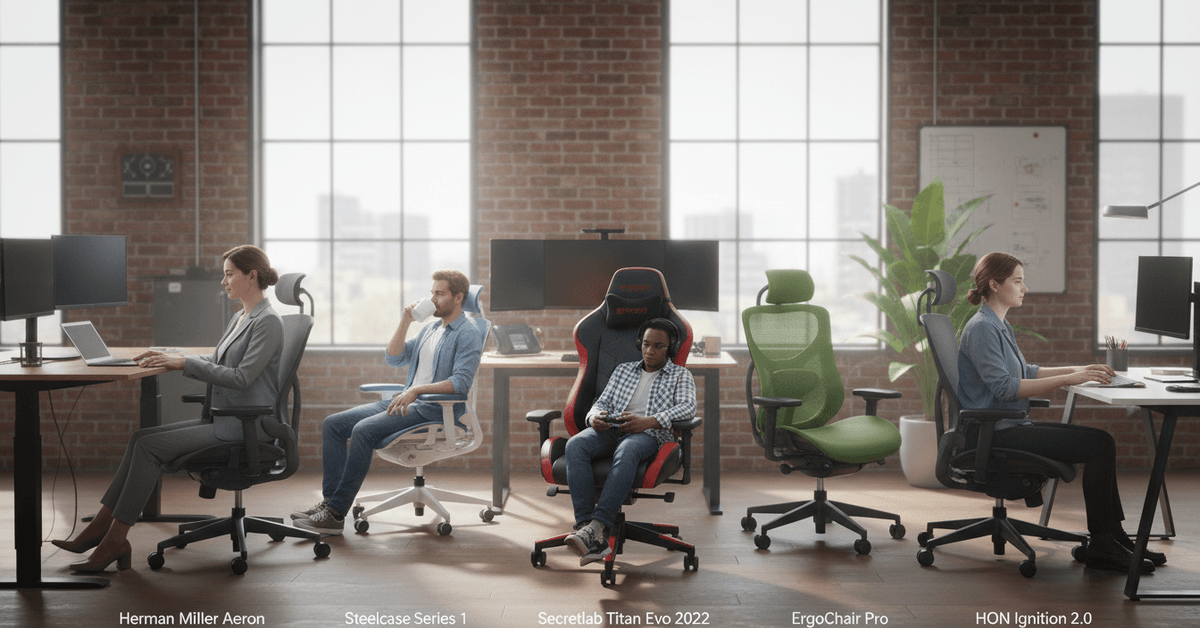
Herman Miller Aeron
The Aeron remains almost legendary. Its mesh back adapts to body shape, offering standout support and breathability.
Lumbar tension is highly adjustable—rare at other price points. Downsides? Well, the price stings. It’s truly worth it if you spend 8+ hours seated, but budget-conscious users may want to keep browsing.
Steelcase Series 1
Steelcase chairs are famous for build quality, and the Series 1 is a user-friendly, more accessible model.
Offering adjustable arms, well-cushioned support, and a contemporary look, it suits both classic and modern offices. It may squeak a little after months of use, though (based on a friend's complaint!).
Secretlab Titan Evo 2022
Yes, it’s labeled a “gaming chair,” but hear me out: Secretlab gets those hours-long sessions right. The Titan Evo offers deep recline, generous memory foam, and a magnetic head pillow that’s actually comfortable.
Its main drawback is bulk—it needs space. But for hybrid work-gamers, or anyone prone to shifting postures, it’s strangely versatile.
ErgoChair Pro by Autonomous
This chair makes ergonomic adjustments—lumbar, height, tilt—quick and intuitive, ideal for shared workspaces.
Mesh keeps it airy. For the price, it’s tough to beat, although extra features are somewhat minimalistic, which could be a plus if you prefer simplicity.
HON Ignition 2.0
HON’s Ignition 2.0 nails value and comfort. With flexible lumbar support, adjustable arms, and a waterfall seat edge (to avoid leg pressure), it addresses most ergonomic needs under $400.
It may feel less plush than the luxury models, but for the price, you get a lot.
Key Specs to Compare Ergonomic Chairs
Confused by a wall of specs? Here’s a quick side-by-side comparison featuring standout models. This should help narrow down your shortlist and prioritize what really matters to you.
Setting Up Your Chair for Maximum Comfort
Match the Chair Height With Your Desk
The chair’s height should allow your arms to reach the keyboard with elbows at your sides and forearms parallel to the floor. Sometimes, if your desk’s too high, a footrest helps a ton.
Check for Lumbar Support
Adjust the lumbar to sit at your lower-back’s curve—typically right above the hips. If the chair’s lumbar doesn’t reach you, consider a cushion (I had to use one for weeks before saving up for a better chair).
Set Armrest Level Below Your Desk
Your shoulders should be relaxed, not hunched. Adjust the armrests so you can slide under the desk or at least avoid bumping them constantly.
Fine-Tune Tilt and Backrest
Differing work styles benefit from different tilts. Some prefer full upright for typing, others a slight recline to relieve their back. Don’t be afraid to experiment until small aches disappear (or at least shrink).
Common Mistakes You Might Make When Buying Ergonomic Chairs
- Ignoring micro-breaks: Even with the best chair, sitting nonstop can eventually hurt. Set reminders to stretch or stand every 45–60 minutes.
- Poor monitor placement: If your screen is too low, you’ll end up craning your neck. Raise it so the top third is at eye level.
- Overlooking seat depth: Sitting too deep in the seat can reduce circulation behind your knees. Adjust or use a rolled-up towel if needed.
- Neglecting posture habits: Slouching is sneaky. Even with great support, check in with your posture regularly throughout the day.
Why Buy Premium and Why It Matters
Sometimes, the fancy chair does offer more—but basic adjustable features, sturdy construction, and breathable material matter most. Don’t be swayed purely by price or hype.
Comfort is personal. For some, the mid-range ergonomic chairs do the trick. Others, especially with chronic pain, may find higher-end models a real lifesaver. Try out different models in-store if possible—a single spin in the wrong chair can be eye-opening.
Where to Buy Ergonomic Office Chairs
- Specialty office stores: These often have a wide selection you can test in person, with knowledgeable staff on-hand.
- Online retailers: Amazon, Office Depot, and direct brands (like Autonomous, Steelcase) offer site-wide deals and extensive model choices.
- Local showrooms: Some IT suppliers stock pro chairs, especially in tech-forward cities.
If possible, check warranty terms—better brands back their chairs with multi-year guarantees. Assembly may take a little patience (believe me, I’ve built more than one at midnight), but clear instructions help.
Conclusion
The best ergonomic chairs for long hours of desk work should support your posture, reduce pressure, and stay comfortable throughout the day.
Look for adjustable height, lumbar support, armrests, seat depth, and breathable materials. A good chair cannot replace movement, so take breaks and adjust your setup regularly.