Feeling frustrated with muffled audio on important calls? Or maybe your podcast has background noise and just never seems as crisp as the popular shows?
If you’re here, chances are you want better sound quality for Zoom meetings, interviews, or starting a podcast—without draining your wallet.
This guide is made for anyone aiming to boost their voice clarity, whether you’re a student, remote worker, content creator, or just learning about hardware upgrades for productivity.
Let’s break down affordable microphones that’ll actually make you sound professional while keeping your setup simple and affordable.
Why Upgrading to a Budget Microphone Matters
It’s tempting to use your laptop or earbuds for calls. But even a modest investment in a dedicated microphone can make all the difference. Here’s why:
Improved Voice Clarity
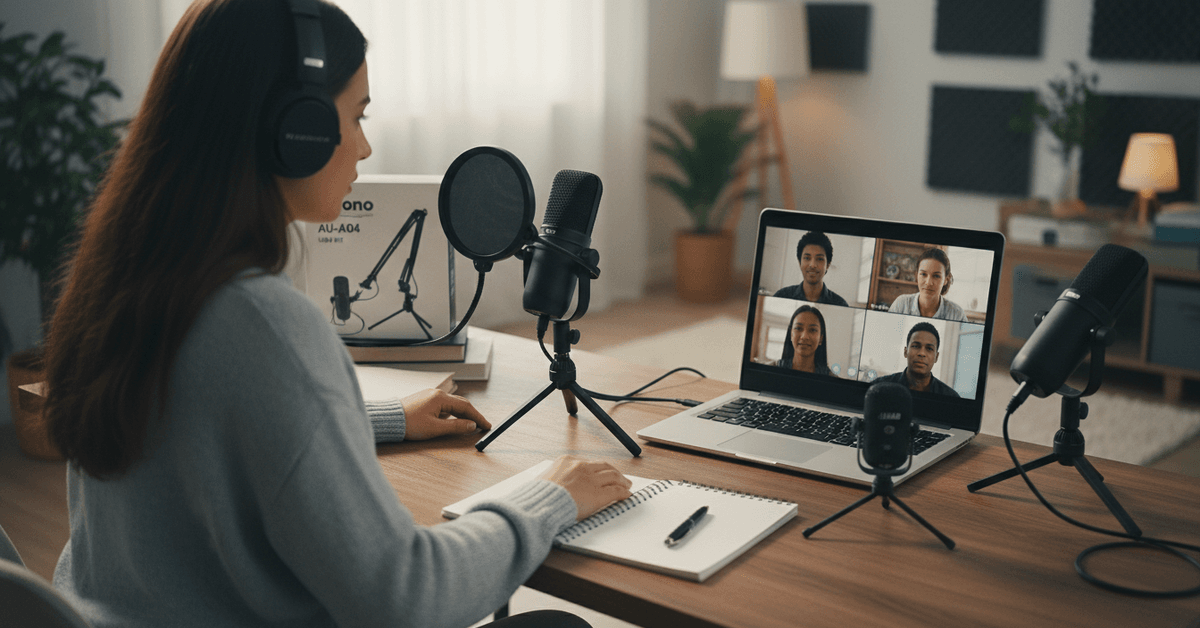
Built-in mics pick up everything: typing, fan hum, random pet noises. A standalone mic focuses right on your voice, filtering out much of the mess. I noticed colleagues were less likely to say, "Can you repeat that?" after I made the switch.
Professional Impression
Clear audio helps you appear competent and trustworthy, whether in meetings or while recording a podcast episode. Listeners stick around longer when they’re not straining to hear you.
Better Productivity
When everyone “gets it” the first time, meetings are shorter. Plus, with less background noise, you’re less likely to lose your own train of thought. It’s subtle, but over long sessions (or back-to-back classes), you really feel the difference.
Key Features to Look For in Budget Microphones
Not every cheap mic is worth it. Here’s what I think really matters—based on a mix of research, personal experience, and scanning dozens of user reviews:
- USB Connectivity: Simple plug-and-play for most computers. No extra drivers or equipment needed.
- Cardioid Pickup Pattern: Focuses on your voice, cuts out much of the background.
- Mute Button: Handy for unexpected coughs or interruptions.
- Headphone Jack: For real-time monitoring (helpful, but not essential for everyone).
- Build Quality: Even on a budget, avoid super flimsy options. A stable stand can prevent lots of table-thumps and accidental drops.
Top Budget Microphones for Zoom and Podcasting
Here are some popular, wallet-friendly microphones I’d actually recommend. They won’t match the $200+ pro models, but, honestly, for most everyday uses, you’re unlikely to notice.
1. Fifine K669B USB Microphone
Honestly, this mic appears on almost every “best under $50” list for a reason. It offers surprisingly crisp audio, cardioid pattern, and is entirely plug-and-play with both PC and Mac. No extra software needed.
- Pros: Compact design, easy setup, comes with its own stand.
- Cons: No built-in pop filter.
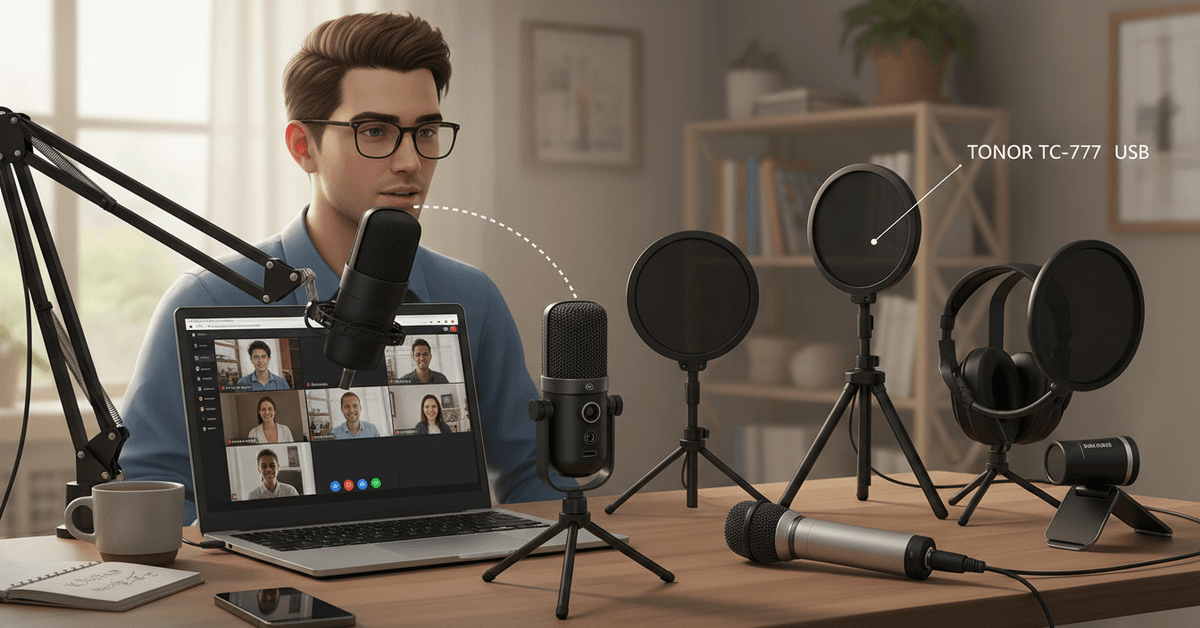
2. TONOR TC-777 USB Condenser Microphone
This is another favorite in the budget arena, especially for students or beginners. You get a tripod stand and a mini pop filter included. It’s ideal for desk setups and offers clear voice pickup for the price.
- Pros: Comes as a bundle, very affordable, reliable sound.
- Cons: Tripod can be a little wobbly on cluttered desks.
3. Audio-Technica ATR2100x-USB
If you can stretch your budget a bit, the ATR2100x-USB is versatile—works via USB or XLR (future-proofing your investment). It’s excellent for both calls and beginner podcasting. The sound is noticeably smoother, and it has headphone monitoring.
- Pros: USB/XLR, solid build, multiple uses.
- Cons: Slightly pricier than most “budget” picks, but worth every penny, I think.
4. JLab Talk Go USB Microphone
This is a newer contender—super portable, and I find the sound more ‘forward’ than a standard laptop mic. Features a simple design, and is ideal for those who travel or need an easy quick setup.
- Pros: Lightweight, clear mids, price point.
- Cons: Picks up keyboard noise if you type while speaking—move it away from your hands if possible.
5. Maono AU-A04 USB Microphone Kit
If you like an all-in-one kit, Maono usually includes a pop filter, shock mount, and scissor arm for under $60. It’s a good entry point for podcasting or streaming.
- Pros: Full bundle, solid value.
- Cons: Arm clamp not great for thick desks.
Microphone Comparison Table
| Model | Connection | Included Accessories | Best For | Approx. Price |
|---|---|---|---|---|
| Fifine K669B | USB | Stand | General Calls | $30-$40 |
| TONOR TC-777 | USB | Tripod, Pop Filter | Students, Beginners | $30-$40 |
| ATR2100x-USB | USB/XLR | Stand, USB Cable | Podcasters, Streamers | $70-$90 |
| JLab Talk Go | USB | Stand | Portability | $30-$40 |
| Maono AU-A04 | USB | All-in-one Kit | Podcasting Starter | $50-$60 |
How to Set Up and Position Your Microphone for Best Results
Let’s be honest: even good mics can sound bad if set up poorly. Here’s a simple approach that works for most home and remote work scenarios.
Basic Setup Steps
- Plug in the USB mic before opening Zoom or your audio app.
- Select the microphone from your system’s input menu.
- Test volume and clarity in Zoom’s audio settings or a free sound recorder.
- Keep the mic 6–10 inches from your mouth, slightly off to the side (not right in front).
- If possible, use a pop filter to avoid harsh “P” and “S” sounds.
Common Mistakes to Avoid
- Speaking too far away or too close (distorts voice).
- Pointing the mic’s pickup away from you.
- Forgetting to mute when not speaking (surprisingly common disaster!).
I once recorded an entire podcast episode sideways to the microphone. It sounded flat and distant, so, frankly, making sure the mic’s logo/indicator points toward you helps a lot.
Extra Tips for Even Better Online Audio
A good microphone helps but the room setup matters just as much. These small changes can make your Zoom calls and interviews sound much cleaner without having to rely on buying expensive gear.
Reduce Echo Around You
To reduce the echo around you, record in a carpeted room. You can also place soft materials near you to absorb the sound. You can put blankets near your desk which can help reduce the echo and make your voice sound warmer.
Control Background Noise
Turn off any device or appliance that might cause echo or noise such as fans, TVs, speakers and even extra laptops. Background sounds that you might think are quiet can still be picked up by your microphone which can distract the listeners.
Keep Software and Settings Updated
Update microphone drivers, recording apps, and meeting software occasionally so your device stays compatible. Check input levels before important calls to avoid distortion or low volume.
Conclusion
The best budget microphones for Zoom calls and podcasts should deliver clear voice quality without complicated setup.
Look for good pickup, noise reduction, stable USB or wireless connection, and adjustable positioning. With the right mic, your meetings, interviews, recordings, and episodes can sound cleaner and more professional on a budget.