Finding the right router for a 1Gbps internet plan isn’t just about speed. It’s about making sure your tech upgrades actually pay off.
This is for anyone looking to boost online productivity, especially if you follow digital trends, work or study online, and want to future-proof your home network.
If you’re serious about streaming, remote work, gaming, or leveraging the latest Chrome extensions and AI tools, your router choice can have a huge impact.
Let's break down what matters—and what doesn’t—when picking out the perfect device for gigabit speeds.
Why Your Router Matters: The Real Bottleneck in 1Gbps Plans
Many people think signing up for a high-speed internet plan will instantly boost their experience. But often, the router becomes the bottleneck.
Even a fast plan won’t help if your hardware can’t keep up. That’s why knowing how to evaluate routers for gigabit speeds is so important.
Modern Internet Tasks Need Robust Routers
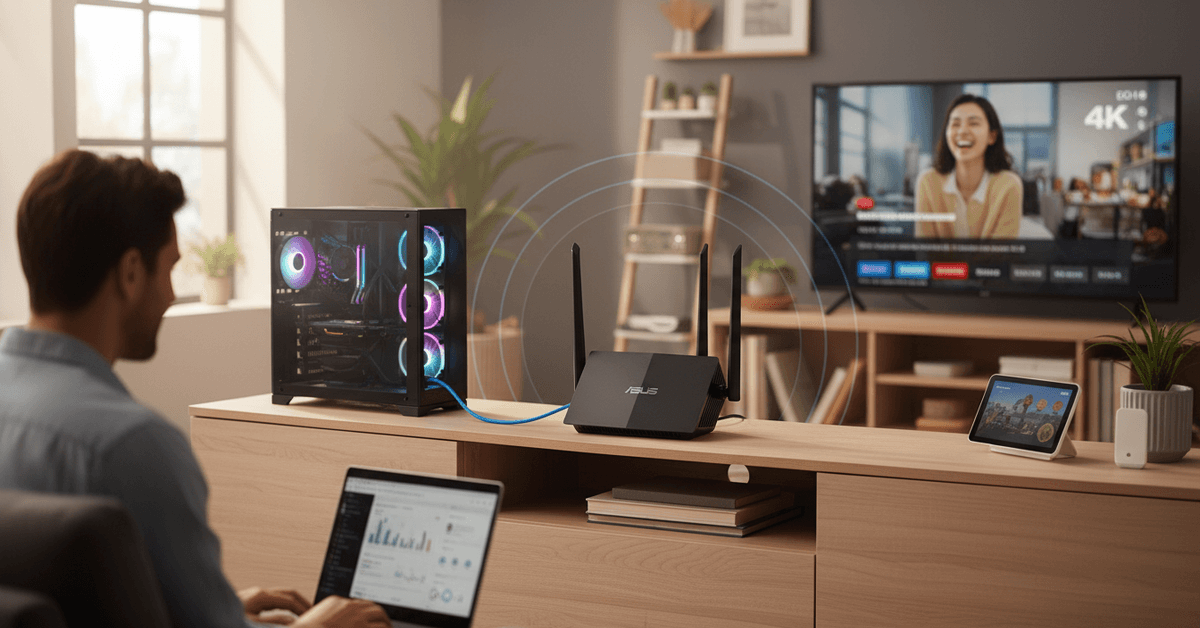
Streaming 4K video or running advanced AI tools—these use more data than ever. A mismatched router can cause lag, buffering, or even random disconnects. Productivity drops fast when your connection can’t keep pace.
Many Routers Can’t Actually Handle 1Gbps
It's surprisingly common: internet providers give you 1Gbps, but your old router maxes out below that—even if its box says "gigabit capable." Sometimes, in practice, you’ll only get 300–600Mbps due to hardware limitations or outdated tech.
Key Features to Look for in a Router for 1Gbps Internet
Not every router with "high speed" on the label will deliver full gigabit performance, especially across Wi-Fi. Here’s what you need to look for (without any unnecessary jargon).
1. Gigabit WAN & LAN Ports
This is non-negotiable. Check the specs: the WAN port (where internet enters your router) and the main LAN ports need to be rated for 1Gbps (technically 1000Base-T).
If they’re old "Fast Ethernet" ports (100Mbps), you’ll be limited no matter what your ISP provides.
2. Wi-Fi 6 (802.11ax) or Better
Wi-Fi 6 is optimized for high speeds, multiple devices, and modern apps. If you have mainly newer laptops, phones, or smart home gear, go for Wi-Fi 6 or even Wi-Fi 6E. If your router only offers Wi-Fi 5 (802.11ac), you might not see a full gigabit wirelessly.
3. Processor & RAM Specs
Routers have CPUs and RAM—seriously. More powerful hardware prevents slowdowns when running advanced features (like parental controls or VPNs) and handles multiple data streams for busy households.
4. MU-MIMO & OFDMA Support
Features like MU-MIMO (multi-user, multiple input, multiple output) and OFDMA help serve many devices at once efficiently. For a connected home or smart office, these aren’t just buzzwords—they actually matter.
5. Reliable Firmware Updates
Some brands quietly stop providing updates after a year or two. Look for routers from reputable brands with a good track record for security patches and firmware improvements.
How to Match Router Capabilities with Your Usage
Not all 1Gbps plans—or all households—are the same. The "best" router for a solo streamer might be a poor fit for a family full of gamers and remote workers.
Small Households: Prioritize Simplicity
If you have only a couple of users and modest smart devices, even affordable Wi-Fi 6 routers will provide plenty of speed. Look for dual-band models with at least 2x2 MU-MIMO support.
Heavy Use & Large Homes: Think Mesh
For bigger homes or lots of users, consider mesh Wi-Fi systems. They eliminate dead zones and can distribute that 1Gbps pipe throughout the house—crucial for productivity at every corner.
Advanced Users: Multi-Gig Options
Serious about gaming, editing large files, or running servers? Some routers now offer 2.5GbE LAN/WAN, giving even more speed headroom. Probably overkill for most, but interesting to consider if you’re aiming to build a future-proof digital workspace.
Top Router Brands and Models for 1Gbps Internet Plans
There are dozens of options, but just a few brands lead the pack for reliability, ease of setup, and raw performance (plus, they're more likely to support the latest Chrome, Windows, or AI tools without hiccups).
- Asus RT-AX86U – High-performance Wi-Fi 6 router, great for gamers and professionals.
- TP-Link Archer AX73 – Affordable, reliable, and fast enough for most families or home offices.
- Netgear Nighthawk RAX50 – Advanced Wi-Fi 6 features, solid security, great for busy homes.
- Google Nest Wifi Pro – User-friendly mesh system with Wi-Fi 6E, easy for beginners, seamless with Google ecosystem.
- Eero Pro 6E – Excellent mesh, supports Wi-Fi 6E, auto-updates keep you secure and optimized.
For up-to-date specs and pricing, check each brand's official site or trusted retailers—these models are known for strong user ratings and road-tested gigabit performance.
Testing and Optimizing Your 1Gbps Home Network
Buying a great router is only half the job. Optimizing placement and fine-tuning settings ensures you get the most out of your new hardware. It’s, perhaps, easy to overlook—but often makes a huge difference.
Wired vs. Wireless Reality
Most people won’t see a full 1Gbps on Wi-Fi; wired connections using Cat5e or Cat6 Ethernet cables come closest.
Still, the right router should let you reach 700–950Mbps on wired and 600–850Mbps on modern Wi-Fi 6 devices under ideal conditions.
Placement Tips
Good router placement helps you get more speed from a 1Gbps internet plan. Position the router in a central area, preferably near the rooms where you use the internet most.
Avoid hiding it behind thick walls, inside closets, or near large furniture. Keep it elevated on a shelf or desk, and place it away from microwaves, cordless phones, and other devices that may cause interference.
Firmware and Security Settings
After setup, update the router firmware immediately. This can improve performance, fix bugs, and strengthen security.
Change the default admin password, then use WPA3 security if available, or WPA2 as the minimum.
Potential Pitfalls: Common Mistakes When Choosing Routers for Gigabit Plans
It’s easy to get swept up by marketing claims, but the devil's in the details. I’ve seen people buy the “fastest” router only to discover it lacks enough LAN ports for their devices or doesn’t support mesh expansion.
- Underestimating device compatibility – Not all your current gadgets support Wi-Fi 6; mix and match carefully.
- Ignoring ISP Modem Compatibility – Some ISPs require specific modem types or have firmware quirks, so double-check compatibility.
- Forgetting about future needs – If you add more smart home products later, mesh-ready systems will scale better than single-point routers.
FAQ: Quick Answers on 1Gbps Router Shopping
Do I need a special router for 1Gbps?
Yes. Older routers (even some called “high speed”) may not deliver full gigabit performance. Check for gigabit WAN/LAN ports and at least Wi-Fi 6 support.
Will I get 1Gbps over Wi-Fi?
Not quite. While theoretical speeds may reach 1Gbps, in real-world scenarios it’s usually a bit lower. Wired will always be fastest, but quality Wi-Fi 6 routers come close.
Should I buy a mesh system?
For larger homes, yes. Mesh ensures consistent speeds everywhere. Single routers work best in studio apartments or small homes.
Conclusion
Choosing the right router for a 1Gbps plan means checking Wi-Fi standards, Ethernet ports, processor strength, coverage, and device capacity. A capable router helps unlock faster, smoother, more reliable productivity.