In our world of remote work and digital classes, good lighting for video calls can make a surprisingly big difference.
If you’ve ever cringed at your on-screen reflection, you’re not alone. Many people juggle awkward lamps, bright windows, or tired room lights—hoping for that one setup where their video call isn’t distracting or unflattering.
This article is for anyone—students, professionals, or creators—searching for affordable ways to look more polished on camera.
If you want to upgrade your video presence without spending a fortune, keep reading. You’ll discover five low-cost gadgets, honest pros and cons, and practical tips for each.
Why Better Video Call Lighting Matters
Before shopping, it’s worth considering why lighting is such a hot topic in the age of virtual meetings. The truth is, light shapes perception: not just how you appear to others, but also how confident and focused you feel.
Understanding these benefits can help you choose the right gadget, whether you’re prepping for an interview, online tutoring, or just keeping up with friends.
Sharper Image, Less Distraction
Poor lighting causes grainy, shadowy video that distracts from your message. Good light makes you look sharper—quite literally. Sometimes, it even boosts clarity on even the most basic webcams.
Professional But Approachable
When you’re well-lit, you seem more prepared and trustworthy. It’s a small edge, but for job seekers, freelancers, or teachers, it can matter. I’ve noticed people engage longer in meetings when the visuals are crisp and inviting.
Reduces Eye Strain
This isn’t talked about enough. Staring at a low-light, flickering screen can wear you down fast. Good lighting makes it easier for others to focus—and protects your eyes too, apparently.
Essential Lighting Criteria for Video Calls
So, what makes a lighting gadget ideal for video calls? You don’t need studio gear. But a few factors do make a real difference when you’re shopping on a budget.
- Soft, even light (without harsh shadows)
- Adjustable brightness and color temperature
- Compact and easy to position
- Powered by USB or batteries for flexibility
- Suits your workspace (desk, laptop, or portable)
Let’s get into the five best gadgets I’ve found—and why each earns its spot on this list.
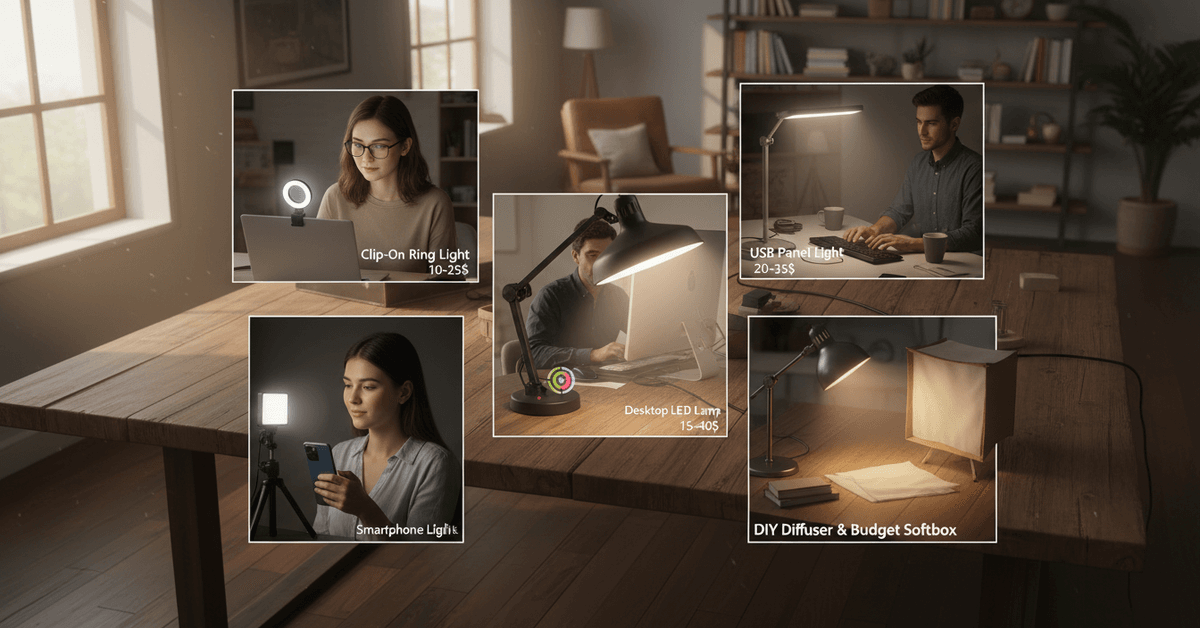
1. Clip-On Ring Lights
The classic ring light isn’t just for influencers. In fact, compact, clip-on ring lights have become the go-to fix for dark rooms and uneven lighting.
How They Work
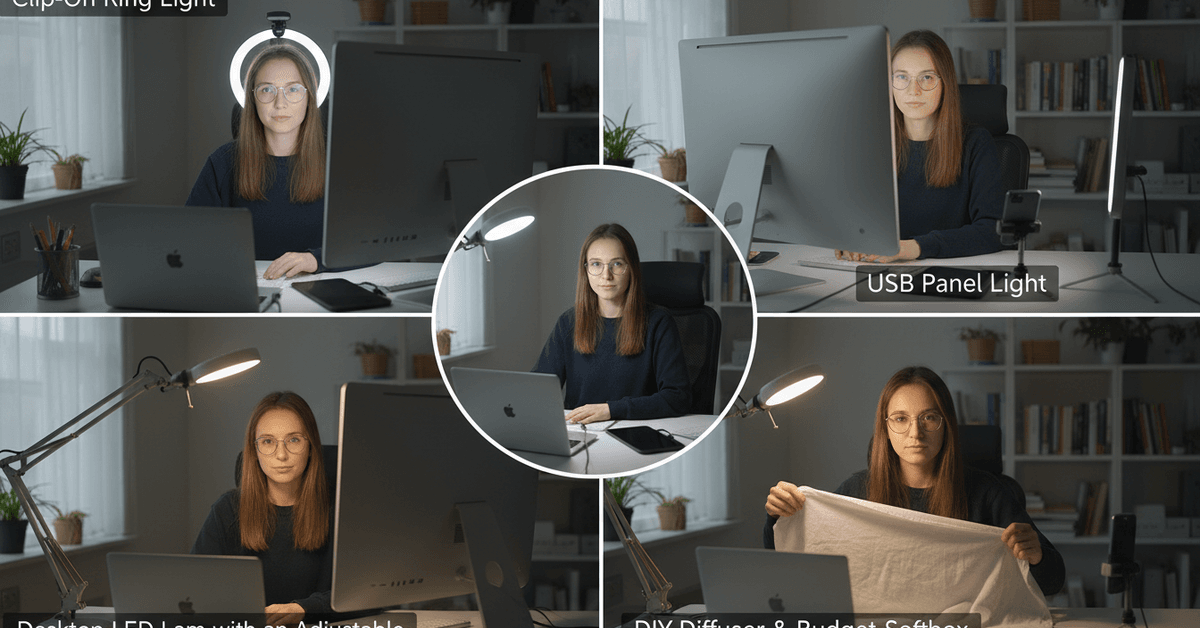
Snap them onto your laptop or monitor, plug into USB, and you’ll see an instant glow that gently illuminates your face. The circular shape helps reduce shadows and gives a soft, natural look.
Best For
- Students on video calls from dorms or libraries
- Work-from-home professionals needing a plug-and-play fix
- Content creators recording quick takes
Typical Price Range
Usually $10–$25 on sites like Amazon or local retailers.
Pros
- Super portable, often weighs less than 100g
- Adjustable brightness (some even change color temperature)
- No complicated setup or space required
Cons
- Can cause glare if glasses are worn
- Lighting can look flat if not positioned carefully
- Battery models need frequent recharging
2. USB Panel Lights
If you want something stronger than a ring light, USB-powered panel lights are a solid step up. These flat panels deliver wider, more even lighting across your face and background.
How They Work
You can attach them to a mini tripod or set them beside your monitor. They're great for a desk that already feels cluttered, thanks to their thin design.
Best For
- Remote workers in shared or low-light spaces
- Recording videos or online teaching sessions
- Anyone who wants lighting that feels less “in your face”
Typical Price Range
About $20–$35, often with small tripod stands included.
Pros
- Adjustable brightness and color temperature
- Wide coverage, less chance of reflection on glasses
- Can angle light slightly above or to the side
Cons
- Needs more desk space than clip-on lights
- Power cable can add clutter if not managed
3. Desktop LED Lamps with Adjustable Arms
Not all video call lighting gear has to be "for cameras". Some of the most budget-friendly lamps are desk models with flexible arms or goosenecks.
How They Work
You position them off to one side or above your monitor. Many now offer touch controls and adjustable color options—you can mimic morning sunlight or warm evening light.
Best For
- Long calls or virtual lessons where you want to avoid glare
- People needing a light for both work and video
- Creative setups (angled against a wall for bounce)
Typical Price Range
Ranges from $15 up to $40, with extra features like timers or USB charging ports at the higher end.
Pros
- Multi-use: light for both your desk and camera
- Can create gentle, indirect lighting
- Wider reach than a ring light or panel
Cons
- Bulky if you have a small desk
- Takes some fiddling to avoid unwanted shadows
4. Smartphone Lights (Clip-on or Standalone)
Maybe you join video calls from your phone, or you move around a lot? Mini smartphone LED lights can make a drastic improvement—without the hassle of large gear.
How They Work
Some clip over your phone for direct video enhancement. Others work standalone, creating a "fill light" you can angle however you want while holding your phone. These are surprisingly powerful for the size.
Best For
- People taking calls on mobile or tablets
- Anyone who works from different locations
- Commuters, digital nomads, or travelers
Typical Price Range
Generally $8–$20, often rechargeable by USB.
Pros
- Ultra-lightweight, fits in your bag or pocket
- Quick and easy to charge
- Works as a portable light for selfies too (bonus)
Cons
- Doesn’t light a whole room, just your face
- Battery can drain quickly if used for long sessions
5. DIY Diffusers and Budget Softboxes
Not exactly a gadget, but sometimes the trick is simply softening and spreading the light you already have. Low-cost softbox kits and homemade diffusers can help.
How They Work
DIY diffusers attach to a standard lamp using materials like parchment paper, white cloth, or even a semi-transparent folder.
Budget softboxes ($10–$20) mount on small LED or desk lights and mimic the "cloudy daylight" effect seen in professional studios.
Best For
- Anyone looking for the softest, most natural look
- People who already have a basic desk lamp
- Creative DIYers who tinker with their setup
Pros
- No glare or harsh shadows (actually surprising how well this works)
- Works with what you already own
- Most affordable, with zero tech learning curve
Cons
- Homemade options can look messy or fragile
- Small risk of overheating if left on too long
Tips for Maximizing Video Call Lighting on a Budget
Choosing a budget lighting gadget is only the first step. Placement, angle, and color can make a simple lamp look much better on camera.
Face the Light Source
Position your face toward the light, not away from it. Front lighting makes your face clearer, while strong side lighting can create harsh shadows.
Place the light slightly above eye level to reduce glare and avoid shadows under your chin.
Adjust Warmth and Brightness
Cool light can look sharp or washed out on video. Try a warmer setting if your lamp allows it, and lower the brightness if your face looks too shiny.
Avoid mixing yellow and blue lights because different tones can make the image look uneven.
Soften Harsh Light
If the light feels too strong, diffuse it with a safe material like thin white fabric or tracing paper placed carefully away from heat. Soft light looks more natural and reduces sharp shadows.
Test Before Every Call
Spend a few minutes checking your camera preview. Small changes in height, distance, or angle can improve your video quality more than buying another gadget.
Conclusion
Budget-friendly lighting gadgets can make video calls look cleaner without a full studio setup.
Ring lights, clip-on lights, LED panels, desk lamps, and smart bulbs can improve brightness, reduce shadows, and make your face clearer. Choose simple tools that fit your space, budget, and daily call routine.