Aiming for a healthier, more energetic workday? Many of us sit for hours at our desks, which—honestly—can sap our energy and concentration.
If you’re interested in improving both your wellbeing and productivity, standing desk converters could be a great option.
This article is for anyone considering a move toward a more ergonomic, active desk setup, without the commitment or expense of replacing their entire workstation.
Discover why standing desk converters might be the upgrade your workspace needs—and how to choose the best model for your daily grind.
Why Standing Desk Converters Matter for Your Wellness
Sitting for extended periods has real effects on our mood and bodies. Research suggests this kind of routine might even impact our long-term health.
That’s why many people are exploring ways to alternate between sitting and standing. But where do standing desk converters fit within this ‘digital wellbeing’ wave?
Mimicking a Full Sit-Stand Desk
You might think a standing desk converter is a compromise. In reality, many models bring full sit-stand flexibility atop your current desk or table. No drilling, assembly nightmares, or awkward returns—just set it up and adjust as needed.
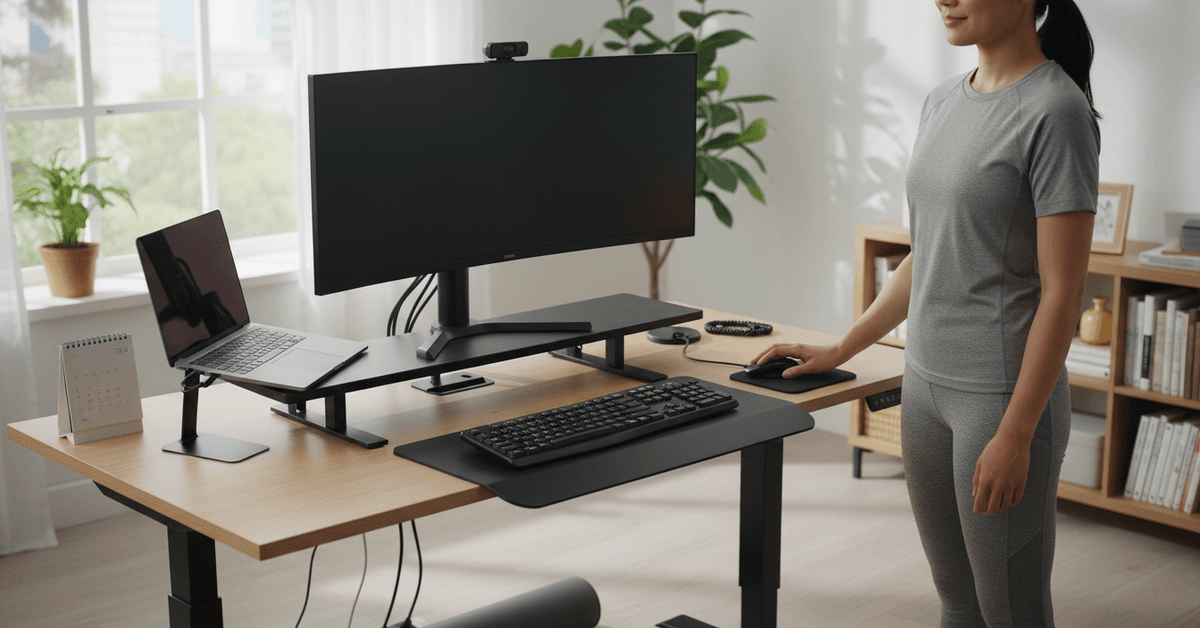
More Movement = Less Fatigue
Switching postures throughout the day could reduce what I’d call that post-lunch lethargy. The idea isn’t to stand endlessly, but to mix things up, prompting micro-movements and occasional stretching. It’s subtle, but surprisingly effective.
Fits Modern and Work Habits
From hybrid schedules to marathon laptop sessions, many of us crave solutions that adapt with us. Converters let you work the way you want—standing for calls, sitting for deep focus, maybe even perching somewhere in the middle.
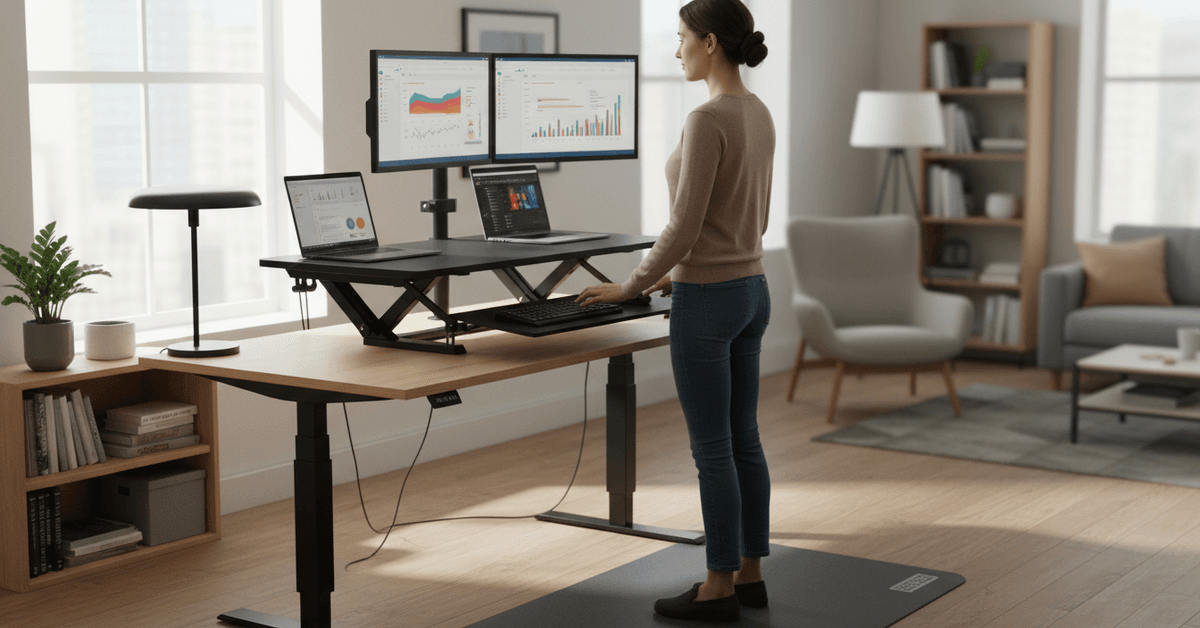
Key Considerations in Choosing a Standing Desk Converter
Before you buy, it’s worth spending a little time understanding your workflow. Here are some honest insights to help you make an informed decision.
1. Adjustability and Ease of Use
Look for converters with a height adjustment mechanism that’s simple, quiet, and durable. Manual levers, pneumatic lifts, or even electric models—each offers a different experience. If you frequently switch positions, smooth operation is essential.
2. Desk Space and Weight Limits
Converters can take up a surprising amount of room. Double-check your available workspace, and be realistic about how much tech gear you actually use daily.
Models vary greatly—some support only laptops, others can hold dual monitors and accessories. Overestimating might lead to regret, or even device damage.
3. Keyboard Tray and Ergonomics
For many people, the difference between a good or mediocre converter boils down to keyboard placement and wrist support.
An adjustable keyboard tray or lower tier is, generally, more ergonomic than typing on top of the main surface. But it can add bulk or make the unit wobblier—so, think about your priorities.
4. Stability and Build Quality
Movement shouldn’t translate into your monitors wobbling. Heavy-duty steel, a wide base, and carefully balanced mechanisms usually result in a more stable platform. If you’re someone who types heavily (I do), you’ll especially notice the difference.
5. Pricing and Warranties
The price range for standing desk converters is broader than you might think, starting as low as $50 and soaring past $400 for premium, feature-rich models.
Longer or comprehensive warranties can hint at trusted build quality—and offer peace of mind. Sometimes I hesitate, thinking the extra cost isn’t justified, but better models usually last longer and feel safer over time.
Best Standing Desk Converters for Every Workspace
The market is crowded with options. After reviewing spec sheets, feedback from real users, and my own test experiences, here are the current standout choices you might want to consider:
Varidesk Pro Plus 36
Varidesk remains a staple in this category, for good reason. The Pro Plus 36 offers a wide work surface suitable for dual monitors, plus a separate lower tray for the keyboard and mouse.
The spring-assisted lifting mechanism feels intuitive. Assembly isn’t really required; just place it on your desk. However, it’s heavy—so you might need help getting it set up.
FlexiSpot M2B Standing Desk Converter
This FlexiSpot model stands out for its smooth, gas-powered height adjustments and generous work area.
There’s support for several monitor configurations and a fairly deep keyboard tray. It’s sturdy but noticeably lighter than many comparable options. Slight wobble at max height, but nothing deal-breaking.
Ergotron WorkFit-T
The WorkFit-T is popular among tech enthusiasts, especially those who value stability above all.
Its straight-up vertical lift minimizes the space it occupies. While the price is on the higher side, rave reviews highlight its build quality. The only trade-off: the keyboard shelf isn’t adjustable in tilt.
VIVO Height Adjustable Stand Up Desk Converter
The VIVO converter is a solid value pick for students, home offices, and budget-focused buyers. Despite its accessible price, it provides two tiers for monitors and a keyboard.
The manual spring-assisted rise may feel stiff at first but loosens with use. It isn’t as refined as pricier units, but it’s a good entry point if you’re unsure about committing to standing work.
Mount-It! Sit-Stand Desk Converter
If your workspace is tight, the compact footprint of this Mount-It! converter is appealing. It fits smaller desks, yet still offers enough surface to hold a laptop and monitor combo.
The gas-spring lift is easy to adjust. There are minor limitations—namely, less weight capacity and surface depth than larger alternatives, but it’s a clever fit for minimalists.
Tips to Actually Stick With Your Standing Desk Routine
The real challenge starts after the first few days. A standing desk converter can make your setup healthier, but only if your routine feels realistic enough to maintain.
Build Up Gradually
Avoid standing for most of the day right away. That can lead to sore feet, tired legs, and poor posture.
Start with short standing sessions, such as 15 to 30 minutes at a time. You can also stand during meetings, calls, or quick admin tasks before using it for longer work blocks.
Use an Anti-Fatigue Mat
An anti-fatigue mat can make standing much more comfortable. It helps reduce pressure on your feet, knees, and lower back, especially if your floor is hard.
This may seem like a small upgrade, but it can make the difference between using your standing desk daily and giving up after a week.
Watch Your Posture
Standing does not automatically fix ergonomics. Keep your monitor at eye level, your wrists relaxed, and your shoulders loose.
Avoid leaning on the desk, locking your knees, or shifting all your weight to one side. Take short breaks to stretch, walk, or reset your position.
Listen to Your Body
Pain, stiffness, or fatigue are signs to adjust, not signs that you are doing it wrong. Switch between sitting and standing based on how your body feels.
Over time, the best routine is the one that fits your workday, energy level, and comfort—not the one that looks perfect in product reviews.
Conclusion
A standing desk converter can make your workspace more flexible without replacing your entire desk.
Choose one with stable height adjustment, enough surface space, smooth lifting, and a comfortable screen position. Paired with regular movement and good posture, it can support healthier, more balanced desk habits every day over time.