There’s a moment—we’ve all had it—where your smartphone percentage drops unexpectedly fast. If you depend on your device for work, navigation, or just to stay connected, that can be more than annoying.
Modern smartphones are powerful but not immune to battery drain. Whether you rely on AI study tools, cloud note-takers, or the newest Chrome extensions, learning how to extend your smartphone’s battery life can actually boost your productivity.
Let’s walk through realistic ways to make every charge last longer. While some tips might sound familiar, a few lesser-known tweaks may surprise you.
Why Smartphone Battery Life Matters for Productivity
If you’re a digital trend-watcher, your phone is probably your on-the-go hub. Between constant app switching, video meetings, and background syncing, battery management isn’t just about convenience—it’s essential.
The Cost of Unexpected Shutdowns
When your battery runs out during a crucial task, you might miss deadlines or lose unsaved work. Even a quick drop-off during a call can disrupt important meetings or group projects.
Always-On Tech, Always-On Anxiety
Maybe it’s just me, but knowing my phone could die anytime makes it hard to focus. That low-battery notification? It interrupts flow, often when you least expect it.
Understand What Actually Drains Your Battery
Many believe that closing apps or lowering brightness is enough. But what truly drains your smartphone battery involves a mix of obvious and hidden factors.
Screen Brightness and Display Tech
Your phone’s display is often the biggest battery culprit. High refresh rates or OLEDs look gorgeous, but can quietly eat away at your charge, especially if brightness is maxed out.
Background App Activity
Apps checking for updates, data syncing, and those sneaky always-on widgets—these things stay busy, pulling power in the background, even if you barely use them daily.
Network Signals and Location Services
Weak connections force your phone to search harder for a signal. GPS, Wi-Fi scanning, and Bluetooth discovery can be silent battery drags—often when you’re not even actively using them.
Change System Settings to Save Power
There’s no magic bullet here, but a handful of software tweaks can deliver an instant and significant battery boost—especially for productivity-oriented users.
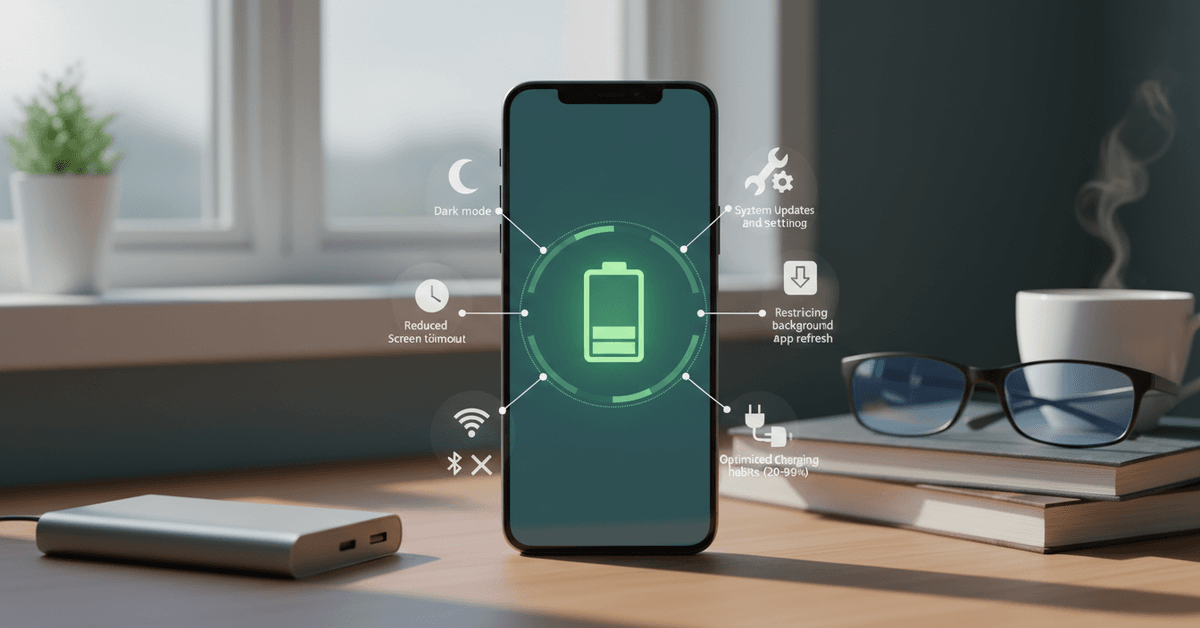
Lower Screen Brightness and Timeout
Reduce brightness just a tad below what you think is ideal. Set your display to turn off after 30 seconds of inactivity. It might not feel like much, but it adds up.
Optimize Refresh Rate and Dark Mode
Where possible, set your screen to a lower refresh rate unless gaming or editing video. Use dark mode—especially on OLED phones—to reduce power draw.
Switch on Battery Saver Modes
Both Android and iOS provide built-in battery saver options. These tweak settings in the background, often disabling non-urgent syncing and visual effects.
Audit and Trim Your App Usage
Some apps are greedy, running tasks even when you close them. Regularly check your battery usage chart in Settings to spot top offenders. Chances are, something will surprise you—it did for me the first time.
Remove or Limit High-Drain Apps
For tools you don’t truly need (maybe a duplicated calendar or old game), uninstall or restrict their background activity. Think long-term: a minimalist app approach almost always saves battery.
Tame Background Activity and Notifications
Disable background refresh for news, social, and even mail apps unless instant updates are essential for you. You can always sync manually if needed.
Use Lite or Web Versions Where Available
Many services offer “lite” versions of their apps. These are designed for low power use, so consider switching, particularly for social networks or messaging platforms.
Manage Connectivity Features Smartly
Connectivity settings have a direct impact on battery. Leaving Wi-Fi, location, or Bluetooth on all day, out of habit, can wear down your charge faster than you’d expect.
Switch Off Network Features When Not Needed
If you’re not using Bluetooth headphones or a smartwatch, toggle Bluetooth off. Only leave GPS on when navigating or using map services. Airplane Mode isn’t just for flights—it’s handy in no-signal spots.
Leverage Downloaded Content
Download podcasts, playlists, or important documents for offline use. Streaming everything in real time is convenient, but it’s more taxing on both data and battery.
Update Software and Monitor Health
Updates can carry hidden battery optimizations—yes, those annoying notifications sometimes have a real upside. Outdated apps or operating systems may drain more power than you realize.
Keep Your Operating System Current
Manufacturers release updates with battery improvements or bug fixes. Keeping your device current is a simple way to avoid easy-to-fix drains.
Monitor Battery Health Regularly
Phones come with built-in diagnostics or third-party apps for battery health checks. If your battery health drops below 80%, you’ll notice diminished performance and runtimes.
Adopt Efficient Charging Routines
How and when you charge matters as much as what you install. Even now, I sometimes feel tempted to charge overnight—turns out, that isn’t ideal for long-term battery health.
Avoid Frequent Full Cycles
Instead of waiting for your battery to hit zero, recharge at around 20–30%. Try not to top up all the way to 100% every single time; lithium-ion batteries prefer a middle range.
Don’t Leave It Plugged in Overnight
Long exposure to high charge levels and heat can shorten battery lifespan. If possible, unplug at 80-90% and avoid wireless pads that generate too much residual heat during charging.
Use Quality Chargers and Cables
The cheapest cable isn’t always safest. Stick with original or certified accessories—you’ll notice fewer charging issues and better efficiency in the long run.
Tweak Advanced and Hidden Settings
Power users or those curious to experiment can leverage deeper system controls for savings. A little technical know-how goes a long way for both Android and iOS enthusiasts.
Restrict Background Permissions
From developer options or app details, turn off permissions for location, background data, or autostart on apps that don’t need them. This can yield subtle but real power savings.
Limit Animations and System Transitions
Turning off excessive animations or live wallpapers reduces graphical processing, helping older phones especially last longer on a charge.
Bonus: Hardware and Accessory Tips
Sometimes software isn’t enough. Hardware fixes or accessories may help, particularly for those on the go, students, or field workers who rely heavily on their smartphones.
Consider a High-Quality Power Bank
A slim, fast-charging power bank can essentially double your effective battery life. Look for reliable brands and ensure the output matches your phone’s needs—extra amps don’t always mean better.
Protect from Extreme Temperatures
Batteries dislike both heat and cold. Don’t leave your phone on car dashboards or in direct sunlight. If you’re out in freezing weather, keeping the phone in a pocket may help maintain charge.
Replace a Worn-Out Battery
If nothing else works, a degrading battery might need replacement. For older devices, this is sometimes more cost-effective than upgrading to a new phone.
Long-Term Habits for Maximum Smartphone Battery Life
If you want to extend your phone's battery life, you should learn repeatable habits that conserve the battery's energy. There are small adjustments that you can make to reduce the daily drain and help the battery age slower.
Review Background Activity Monthly
Check the apps that are running in the background and close them. Most of the time, these are social media and messaging apps. These unnecessary apps that run in the background continues to use your battery even when they are not in use.
Charge More Carefully
Avoid leaving your battery at 100% for a long period. Instead, charge it in between 85% to 95%. This maintains the temperature of your phone which becomes an issue with your device later on.
Use Lighter Daily Settings
Check and update your system software regularly. Make sure you also use dark mode so you don't use your smartphone's lighting more frequently. Shorten screen timeout and lower the brightness to a tolerable and comfortable level to conserve energy.
Conclusion
Extending your smartphone’s battery life starts with small daily habits like lowering brightness, limiting background apps, updating software, and avoiding extreme heat.
Use battery-saving modes when needed and charge wisely instead of constantly draining to zero. With consistent care, your phone lasts longer and performs better throughout the day overall.