Ever sit down to work, only to get distracted by that jumbled tangle of wires under your screen? You’re not alone. For tech lovers and productivity chasers—students, remote workers, or gadget fans—a messy desk quickly undermines focus.
Worse, neglecting cable mess makes cleaning trickier and sometimes, well, embarrassing on video calls.
This article breaks down five practical, cable management hacks that actually work. If you want a cleaner workspace (and maybe a calmer mind), you’re in the right place.
Why Cable Management Matters for Productivity
Maybe you’re wondering, is cable management really worth the effort? Honestly, after trying it myself, I think so.
For most people, a tidy desk translates to fewer distractions. Here’s why designing a cleaner tech setup pays off:
- Improved Focus: Less clutter, less mental noise.
- Faster Cleaning: Surfaces are easier to wipe down without moving ten different cords.
- Equipment Safety: Neatly routed cables are less likely to get pinched or damaged.
- Professional Look: Makes you appear more organized during virtual meetings.
This might feel like a low-stakes change, but when you’re juggling deadlines, it’s surprising how much order helps.
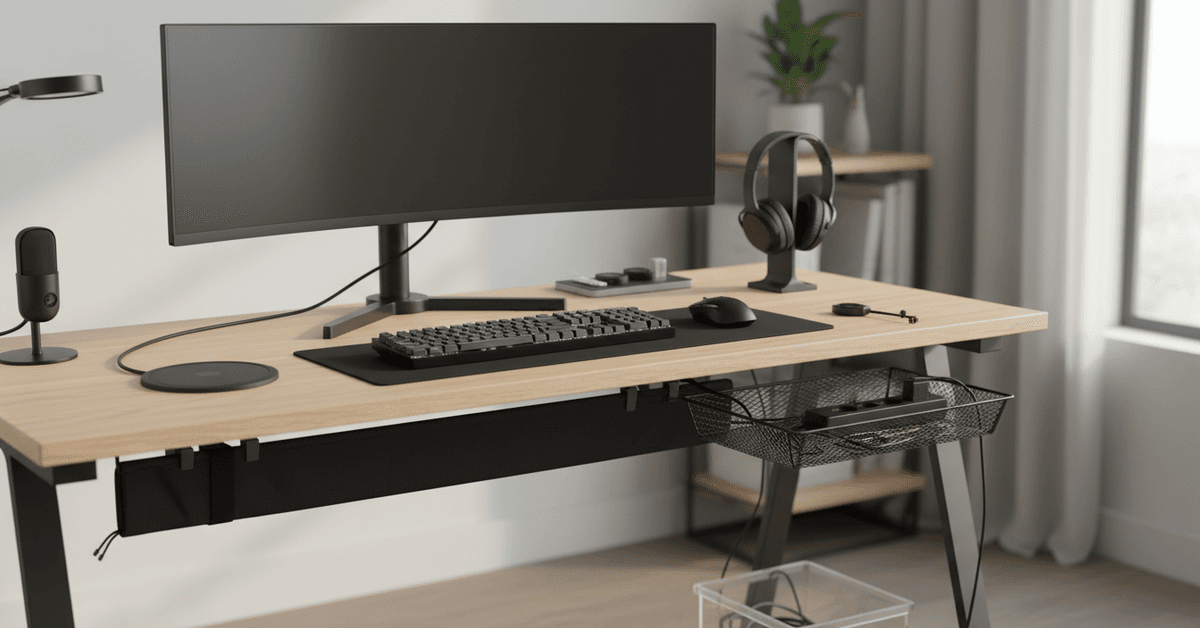
The Essentials: What You’ll Need Before You Start
Before diving in, it helps to have the right tools. Some you probably own already; others are worth picking up if you’re committed to keeping cables in check:
- Cable ties (velcro or reusable preferred)
- Cable clips or adhesive mounts
- Cable sleeves or spiral wraps
- Label tags or colored tape
- Surge protector/power strip with built-in USB ports
Of course, not everything on this list is mandatory, but these small investments can make a big difference.
I’m sometimes surprised how cheap cable management gear is, especially compared to buying replacement chargers for ones that get damaged.
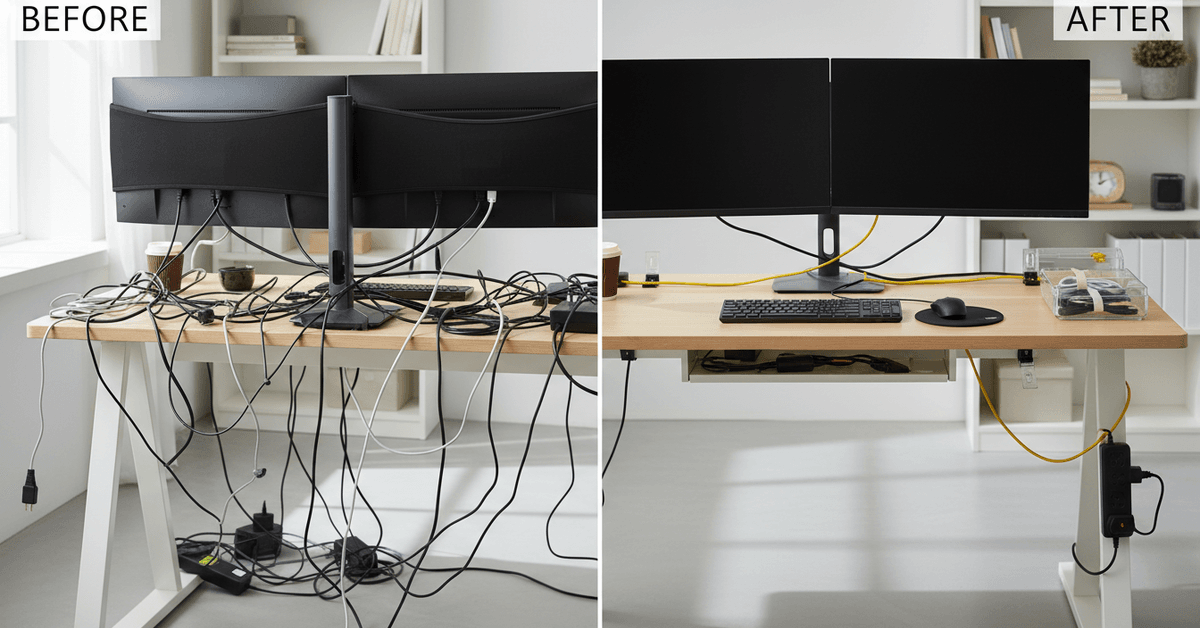
Hack #1: Bundle and Map Your Cables
Let’s admit it: almost everyone ends up with an extra cable or two. The first step is identifying which ones you actually use. You might even rediscover a lost charging brick hiding behind your monitor.
Declutter Before You Organize
It’s tempting to jump straight into fancy cable management solutions. But before anything else, unplug everything and lay it out.
Untangle, dust off, and sort by device. Take a moment here—it’s oddly satisfying to see a pile of unnecessary wires ready for recycling (or at least storage).
Color-Code or Label for Quick Access
This one might sound over the top at first, but labeling pays off whenever a cable needs replacing. For a highly visual approach, use different colored velcro ties for monitors, audio, and chargers.
If you’re a neat freak (or just someone who hates confusion), small paper tags or printable labels stuck right on the cables save headaches later—especially when you’re troubleshooting.
Hack #2: Use Cable Sleeves to Keep Clusters Tidy
Whether it’s your monitor setup , speakers, or a gaming rig—multiple wires quickly build up.
Cable sleeves or spiral wraps group them together, turning five separate wires into a single, neat bundle. There are different types:
- Neoprene sleeves: Soft, flexible, and easy to cut to size.
- Spiral wraps: Good for thicker clusters or denser arrangements behind larger desks.
- Fabric tubes: Some people prefer these for aesthetic reasons, though they can be a bit more expensive.
If you like simple solutions, I can vouch for zip-up neoprene sleeves—they work well for wrangling power cords under the desk.
One tip: Don’t make the bundle too tight. Leave some wiggle room for heat to escape, especially around power supplies.
Hack #3: Clip and Route Along Edges
Once you’ve bundled cables, running them along the edges of your desk or wall gets them out of sight.
This might seem trivial but imagine the difference between dangling wires and a smooth, clean edge.
Adhesive Clips for a Sleek Look
Cable clips or adhesive mounts stick easily to most surfaces—wood, plastic, even some metals.
Attach them to the underside of your desk, along legs, or up the wall behind your workstation. Route USB, HDMI, and charging cables through the clips, spacing them evenly.
It’s a tiny detail, but the change feels big—especially if your desk backs up against a window or open room.
Under-Desk Trays for Heavy-Duty Setups
If you’re running a dual-monitor or multi-device setup, consider adding an under-desk cable tray.
These trays hold surge protectors and keep heavy power bricks off the floor. That means less dust, fewer trip hazards, and even easier vacuuming.
There’s a slight challenge—some trays need to be screwed in—but for dedicated workspaces, it’s worth the minor hassle.
Hack #4: Embrace Wireless Tech When Possible
This hack isn’t technically a wire solution, but more wires really does mean more mess. When possible, switch to wireless peripherals:
- Bluetooth keyboards and mice
- Wireless headsets
- Qi wireless chargers (for phones and earbuds)
I hesitated about going wireless at first. Chargers, cables, adaptors—they had always been part of my routine.
But honestly, wireless tech has improved a lot. There’s still a need for some wires, but cutting down on even a few makes organizing everything else much simpler.
Hack #5: Regularly Review and Refresh Your Setup
Even with the best cable management, new devices and upgrades can creep back into your system. Make it a habit to review your desk every few months:
- Unplug and untangle unused or older equipment
- Wipe down surfaces and check often-overlooked spots
- Replace or re-label any worn or damaged ties
- Adapt your setup as your work style or gadgets change
I found that a quarterly “desk reset” helps me avoid overwhelming messes. If you’re a student or remote worker adapting to new tech trends—like AI tools for productivity—your desk is bound to evolve fast. Periodic checks keep chaos at bay.
Pro Tips for Long-Term Desk Organization
Long-term desk organization depends on small systems that are easy to maintain. Once your cables are hidden and grouped, the next step is making sure new devices do not bring the clutter back.
Use Better Power Solutions
Invest in adjustable power strips with built-in spacing for chargers, adapters, and bulky power bricks.
This helps prevent overcrowding and makes each plug easier to access when you need to move or replace a device.
Create a Charging Zone
Use a dedicated charging station for phones, earbuds, tablets, smartwatches, and other daily devices.
Centralizing charging keeps loose cables from spreading across your desk and makes it easier to find everything in one place.
Hide and Maintain Cable Clutter
Desktop cable boxes can hide surge protectors, extra cord length, and bulky adapters while keeping your setup minimal. Keep spare cable ties in a drawer so you can quickly secure new cables when adding gadgets.
Conclusion
Cable management keeps your desk cleaner, safer, and easier to use every day. Simple hacks like cable clips, sleeves, labels, trays, and Velcro ties can reduce clutter without changing your whole setup.
With a few small adjustments, your workspace can look more organized and feel more productive.