Does it ever feel like all the best digital tools demand a costly monthly fee? If you’re on the lookout for free apps that rival or even outshine pricey subscriptions, you’ve found the right place.
Today’s tech moves fast—especially in productivity and software tools. Whether you’re a student, remote worker, or just want to save a few bucks without missing out, this article is for you.
You’ll discover five impressive free apps that deliver better performance or usability than often-overhyped paid competitors. Some are recent "waves" of innovation; others may be hidden gems you haven’t tried.
If you care about AI tools, Chrome extensions, or maximizing Windows/Mac tricks, you’ll want to keep reading. Let’s dig in.
Why Free Apps Are Dominating the Software Landscape?
It’s hard to ignore the rise in subscription-based software. From Adobe to Microsoft, many platforms have shifted to monthly or annual payment plans. But why pick free apps over paid ones?
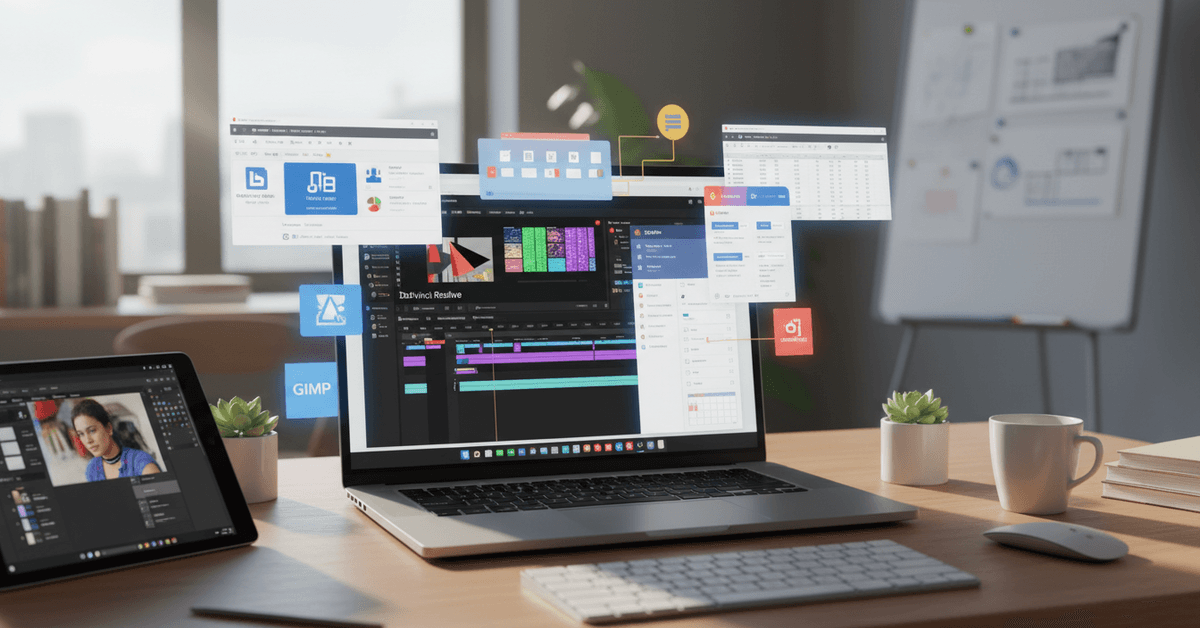
Budget-Friendly Advantage
Obviously, free means you’re not spending a dime. But what’s more interesting is the value: some free tools actually offer premium-grade features. Especially for students or startups, this is a game-changer.
Rapid Updates and Community Support
Free apps often have enthusiastic developer or open-source communities behind them. Updates roll out quickly, bugs get fixed, and users often shape the product’s direction. I’ve personally seen feedback on GitHub turn into new features almost overnight.
Flexibility and Fewer Lock-Ins
Unlike paid subscriptions, most free apps allow you to export your data or use them alongside competitor tools. You rarely feel "trapped," and that freedom is, well, freeing.
5 Free Apps That Outperform Paid Alternatives
I won’t claim this list is exhaustive. The world of productivity apps and utilities shifts constantly. But these five have delivered real results—at least, in my own workflow and for countless users online.
1. LibreOffice (vs. Microsoft 365 or Google Workspace)
Looking for a fully-featured office suite without monthly fees? LibreOffice offers powerful word processing, spreadsheets, presentations, and more. Its interface isn’t fancy, but it does almost everything MS Office can.
- Supports almost every file format you’ll need.
- Offline access—no internet required to edit documents.
- No hidden ads or signups, just install and use.
I sometimes miss real-time cloud editing, but LibreOffice’s reliability has saved me more than once. For most, it’s a drop-in replacement for Word or Excel subscriptions.
2. Notion (with Free Personal Plan) (vs. Evernote Premium & Trello Gold)
Notion's free plan now lets you create unlimited pages and blocks—meaning nearly everything you need for personal productivity is there. Organize notes, tasks, wikis, even manage projects, all in one workspace.
- Unlimited storage for notes and docs (for individuals).
- Flexible templates make setup a breeze.
- Integrates with Chrome extensions for web clipping.
Is it perfect? Maybe not. Syncing on mobile feels slow at times, and a few features are behind a team paywall. Still, for personal and student use, it’s hard to beat.
3. DaVinci Resolve (vs. Adobe Premiere Pro or Final Cut Pro)
If you’re dabbling in video editing, it’s tempting to assume quality costs a fortune. In reality, DaVinci Resolve —the basic version—is 100% free and astonishingly powerful. Hollywood-level color grading and editing, without license fees.
- Crisp interface; all essential tools included in the free edition.
- Multi-platform: works on Windows, Mac, and Linux.
- Regular updates and a huge community of YouTube tutorials.
Maybe it’s a touch complex for beginners, but if you outgrow iMovie or Windows Video Editor, DaVinci is up to the challenge—no subscription required.
4. Joplin (vs. Evernote, OneNote)
Ever felt trapped by note-taking apps locking away your data? Joplin is a free, open-source solution that syncs across devices, supports markdown, and prioritizes privacy. It’s built for power users, but also friendly for note-taking newbies.
- Offline access; you control where notes are stored.
- Supports attachments, web clipping, tagging, and encryption.
- Plugins abound for task lists, calendar integration, and more.
Some may miss slick design, but for features and freedom, Joplin stands tall. I often recommend it to students or writers who crave total control of their notes—especially those worried about "lock-in" and export headaches.
5. GIMP (vs. Adobe Photoshop)
GIMP (GNU Image Manipulation Program) is, for many, the ultimate free Photoshop alternative. Photo retouching, layer-based editing, plug-ins, and batch processing—almost nothing is off limits, even for advanced users.
- Widely used for digital art, design, and photo correction.
- Completely free, open source, and portable.
- Cross-platform: works on Windows, Mac, Linux.
The learning curve? It’s real. GIMP isn’t as beginner-friendly as Canva or Photoshop Elements. But once you’re beyond the basics, you’ll stop missing Adobe’s recurring charges pretty quickly.
What Makes These Free Apps a Better Choice?
It's not just about saving money, although that's a key motivator. Each app here demonstrates how open-source or freely available tools can outpace established software in at least one key area—be that privacy, speed, cross-platform ease, or customization.
- Privacy-first: Less data collection, often fully offline.
- No recurring fees: One less thing on your digital budget.
- Community-driven features: Apps evolve based on what users want, not just what boosts sales.
- Platform flexibility: Most of these apps are multi-platform and portable, a rarity among paid tools.
I sometimes wonder if we’re entering a golden era of free productivity. Maybe that’s wishful thinking. But after years of trying new tech, I honestly think the lines between “subscription” quality and “open” quality are blurring fast.
Tips to Make the Most of Free Software
Switching from paid to free can involve a mindset shift. Here’s what I’ve learned:
Stay Updated & Back Up Often
Many free apps are open source, so updates might arrive faster—or occasionally break things. Back up your critical data regularly, especially while testing new versions.
Explore Community Guides and Forums
The best help often comes from official forums or Reddit communities. Search for troubleshooting tips, workflow hacks, or unofficial plug-ins. Honestly, you’ll find more real-world advice than with many big-brand help centers.
Mind the Export Formats
Test how easily your files export (especially with office or graphics software). Don’t wait until it’s too late to see if you can move your notes, docs, or projects elsewhere.
Check for Chrome Extensions or Integrations
Many of these apps offer browser plug-ins or companion extensions. Notion, Joplin, and GIMP, for example, have tools for web-clipping or direct file editing from Chrome. These little add-ons can save hours over time.
Are Free Solutions Right for You?
It’s easy to recommend free software, but should everyone switch? Maybe not. If you need company-level support, niche features, or seamless office-wide integration, some paid platforms still win out.
And sometimes it’s just a matter of habit or user preference. Trying these apps doesn’t mean ditching all subscriptions overnight.
But if you’re looking to boost productivity, cut costs, or just explore what’s new in the digital trends "wave," each of these apps deserves a look.
Conclusion
Free apps can be strong alternatives to paid software when they offer reliable features, flexible access, and fewer ongoing costs.
Tools like LibreOffice, Notion, DaVinci Resolve, Joplin, and GIMP can support office work, note-taking, video editing, privacy-focused writing, and design tasks.
It is also important to test compatibility, review export options, and keep backups before replacing a paid tool completely.
With the right choices, free software can improve productivity while helping users avoid unnecessary subscription expenses.