Sellers are losing sales to background clutter, and most of them don't even know it. A distracting background doesn't just look unprofessional. It shifts the viewer's attention away from your product before they've even registered what they're looking at.
The fix used to mean Photoshop, manual lassoing, and a lot of frustration. AI background removers changed all of that.
This article is for e-commerce sellers, content creators, and anyone who needs consistently clean product images without spending hours in a photo editor.
The focus keyword is doing real work in your product listings long before anyone reads your description. Visuals are the first filter. Getting them right is the actual job.
Are Clean Product Backgrounds Actually That Powerful?
Scroll through any crowded online marketplace for thirty seconds and notice what catches your eye. Products shot against cluttered or off-brand backgrounds visually disappear. The eye doesn't linger. The click doesn't happen.

Clean backgrounds do three things that most sellers underestimate.
They eliminate visual competition around the product, they signal that the shop takes quality seriously, and they make your listing consistent enough to feel like a real brand rather than a side hustle.
Shops that invest in tidy, professional images tend to build more trust and convert more browsers into buyers.
AI tools cut through the older pain points. Manual background removal was slow, sometimes messy, and required a real skill set.
The AI version gives you speed, strong edge detection, and batch processing for when you have dozens of images to clear at once.
So Why Do Some AI Removers Fail on Product Photos?
The problem is almost always one of contrast. When your product is similar in color to its background, the algorithm struggles to find the edge between the two. A white sneaker on a white surface is genuinely hard for any AI to separate cleanly.
The same issue shows up with transparent or reflective surfaces.
Glass bottles, jewelry with shiny settings, and products with fine textures like mesh fabric all push the limits of what even the best tools handle reliably. Knowing this before you shoot saves you editing headaches later.
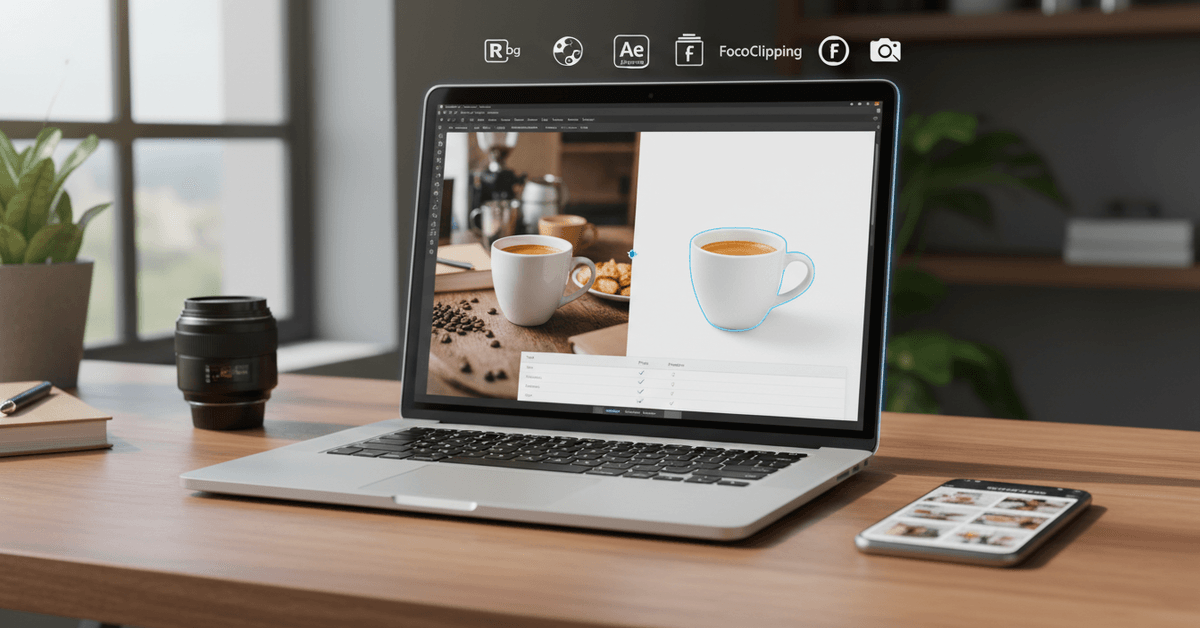
The Five Tools Worth Knowing Right Now
I've tested more of these than I'd like to admit, largely to avoid the pain of manual editing on bulk product shoots. Not all of them deliver what they promise. These five do.
remove.bg Is the Closest Thing to an Industry Standard
remove.bg has become the reference point that other tools measure themselves against.
Upload an image, and in seconds, the AI cleanly separates your subject from its background. It handles complicated edge cases, including fuzzy textures, hair detail, and layered objects, better than most free alternatives.
The interface requires almost no learning curve. Upload, preview, download. For sellers who process small batches occasionally, the free tier handles low-resolution previews without costing anything.
High-resolution exports run on a credit system, which is where the cost adds up if your volume is high.
The API access is the feature that separates remove.bg from casual tools. If you're running an automated product photography pipeline, connecting directly through the API saves significant manual time.
Strengths at a glance:
- Consistently strong accuracy on complex backgrounds
- Free low-resolution previews
- API access for automation workflows
Where it falls short:
- High-res downloads cost credits, so volume adds up
- Advanced editing features sit behind the paid tier
Adobe Express Remove Background Is More Useful Than People Give It Credit For
I was skeptical about Adobe Express until I realized it offers free background removal with no login required. That's a meaningful difference from tools that gate everything behind an account wall.
The removal quality is solid, though not quite as pinpoint-accurate as remove.bg on difficult subjects. The real case for Adobe Express is the integration.
If you need to layer text over a product image, drop it onto a social template, or combine it with other creative assets, everything lives in one place. For small businesses managing content across multiple channels, that workflow compression matters.
Strengths:
- Free, no login required
- Strong integration with broader design tools
- Good for creators producing high volumes of mixed content
Where it falls short:
- Occasionally misses fine edge detail
- Export options are narrower than dedicated tools
Canva Background Remover Works Best When You're Already in the Canva Ecosystem
If your content production already runs through Canva, the Background Remover on the Pro plan is a natural addition rather than a separate tool to manage.
Removal is fast, and you can immediately swap in new backgrounds, add text, layer in a logo, or drop the image directly onto a product template.
The batch processing with brand kits is genuinely useful for sellers maintaining a consistent visual style across an entire store.
The limitation is that it requires a Pro subscription. For someone who only needs background removal and nothing else, the cost is harder to justify.
FocoClipping Gives You More Control After the Initial Cut
FocoClipping is the tool I'd recommend to anyone who needs to refine results after the AI does its first pass. The initial removal handles ecommerce product categories well, especially shoes, electronics, and accessories.
The real differentiator is the manual refinement layer: you can restore edges, erase missed sections, and add a drop shadow to give the product a little visual depth.
The free tier includes unlimited downloads as of this writing, which makes it genuinely hard to beat for sellers who are watching their tooling costs.
High-resolution exports require signing up for a free account. The interface feels slightly cluttered compared to cleaner tools, but the functionality compensates for it.
PhotoRoom Thinks Like a Product Seller, Not Just a Photo Editor
PhotoRoom started as a mobile-first app built specifically for ecommerce sellers, and that origin shows in how it handles product images. The AI is sharp.
Beyond background removal, it suggests branded backdrops and shadow effects that give listings a polished, studio-like look without any studio equipment.
My take is that PhotoRoom's background suggestion feature is undersold by most reviews. Replacing a background with a well-chosen gradient or surface texture lifts perceived product quality noticeably.
The free plan adds a watermark, and the best customization options are behind a paid subscription. For sellers processing consistent volume, that subscription pays for itself quickly.
Quick Comparison Across the Five Tools
| Tool | Free Tier | High-Res Downloads | Bulk Processing | API |
|---|---|---|---|---|
| remove.bg | Yes (low-res) | Paid credits | Paid | Yes |
| Adobe Express | Yes | Free | No | No |
| Canva | No (Pro only) | Included in Pro | Yes | No |
| FocoClipping | Yes | Sign-up needed | Yes | No |
| PhotoRoom | Yes (watermark) | Paid subscription | Yes | No |
If API access matters, remove.bg is the only option here. If cost is the priority, FocoClipping's free unlimited tier is difficult to beat.
How to Get Clean Results Before You Even Open a Tool
The AI does the heavy lifting, but your shooting conditions determine the ceiling of what's possible. A few adjustments at the source prevent most of the edge-case problems.
Prep steps that make a real difference:
- Shoot with strong contrast between your product and the background. A product that blends into its surface gives the AI nowhere to find the edge.
- Keep other objects out of the frame. Stray items confuse the subject-detection logic and often get partially removed.
- Use decent lighting. Shadows that fall across the background can look like product edges to the algorithm.
- Batch process and then review individually. Minor errors slip through on bulk runs, and catching them early is faster than fixing them after publishing.
When the AI Gets It Wrong, Manual Finishing Is the Answer
Transparent surfaces, reflective metal, and fine mesh textures are the categories that push AI background removers past their reliable range.
In those cases, a manual pass in Photoshop or the tool's built-in edge refinement handles what the algorithm missed. It's rare, but pretending it doesn't happen sets sellers up for published errors.
Questions People Ask About AI Background Removers
Q: Can I use these tools commercially on product images I plan to sell with? The tools listed here, including remove.bg, Adobe Express, FocoClipping, and PhotoRoom, permit commercial use under their standard terms. Always confirm the specific plan you're on covers commercial licensing, particularly for Pro or API tiers.
Q: How do AI background removers handle transparent products like glass bottles or clear packaging? Transparent objects are one of the known weak points for most AI tools. FocoClipping and remove.bg handle them reasonably well, but manual edge refinement is usually needed to recover the subtle gradients and reflections that get dropped during automated removal.
Q: Is batch processing worth paying for if I only list products occasionally? If you're running under twenty images per month, a free tier with individual processing is almost always sufficient. Batch processing starts returning real value around fifty or more images per cycle, where the time savings justify the subscription cost.
Q: Do any of these tools work directly inside Shopify or other ecommerce platforms? Canva has integrations with several ecommerce platforms, and remove.bg offers API access that developers can connect to Shopify and custom storefronts. PhotoRoom also has integrations worth checking if your store runs on a major platform.
Q: Are the free tiers actually usable for real listings, or are they just demos? Adobe Express and FocoClipping offer genuinely usable free tiers for real listings. remove.bg's free preview is lower resolution, which works for social but may fall short for marketplace image requirements. Always check the pixel dimensions against the platform you're posting to.
Conclusion
The tool you pick should match the volume you're running and the control you need over the output. Sellers who batch process daily and need API automation land on remove.bg.
Sellers who want background replacement and mobile-first editing lean toward PhotoRoom.
Everyone else fits somewhere in between, and the free tiers are good enough to test before committing to anything.
Trying one of these tools on your next batch of listings takes about ten minutes. The gap between what you have now and what a clean background delivers is usually visible on the first image.