Learning to code used to mean staring at a cryptic error message for two hours before finding a Stack Overflow thread from 2014 that half-answers your question. That experience has genuinely changed.
AI coding assistants now sit inside your editor, explain errors in plain language, and suggest the next line of code before you finish thinking it. The learning curve still exists. The tools just make it less lonely.
This is for people who are early in the journey. Maybe you've finished a tutorial or two and want to build something real. Maybe you're stuck on Python loops and wondering if there's a smarter way to get unstuck.
There is. And the right assistant makes a noticeable difference, not because it writes your code for you, but because it keeps you moving when you'd otherwise stop.
Best AI Coding Assistants for Beginners Right Now
What These Tools Actually Do When You're Learning
AI coding assistants integrate directly with editors like VS Code, PyCharm, or browser-based environments like Replit. They analyze your code in real time, flag problems, and generate suggestions based on what you type or comment.
The useful part for beginners isn't the autocomplete. It's the explanation layer. A good assistant doesn't just rewrite your broken function. It tells you why it was broken, in language that doesn't require a computer science degree to parse.

The Part Most Beginners Miss: Prompting the Explanation
Every major tool on this list responds to natural language. Type a comment like # sort this list alphabetically, and the AI generates the relevant code. But you can also type # explain what this function does and get a readable walkthrough.
I think most beginners leave 60 to 70 percent of the value on the table by treating these tools as autocomplete engines instead of on-demand tutors. The explanation feature is what separates learning from copying.
The Tools Worth Your Time in 2026
GitHub Copilot
GitHub Copilot integrates with VS Code, JetBrains editors, and several others. Type a comment describing what you want, and it generates the code. Accept it, ignore it, or ask it to try again.
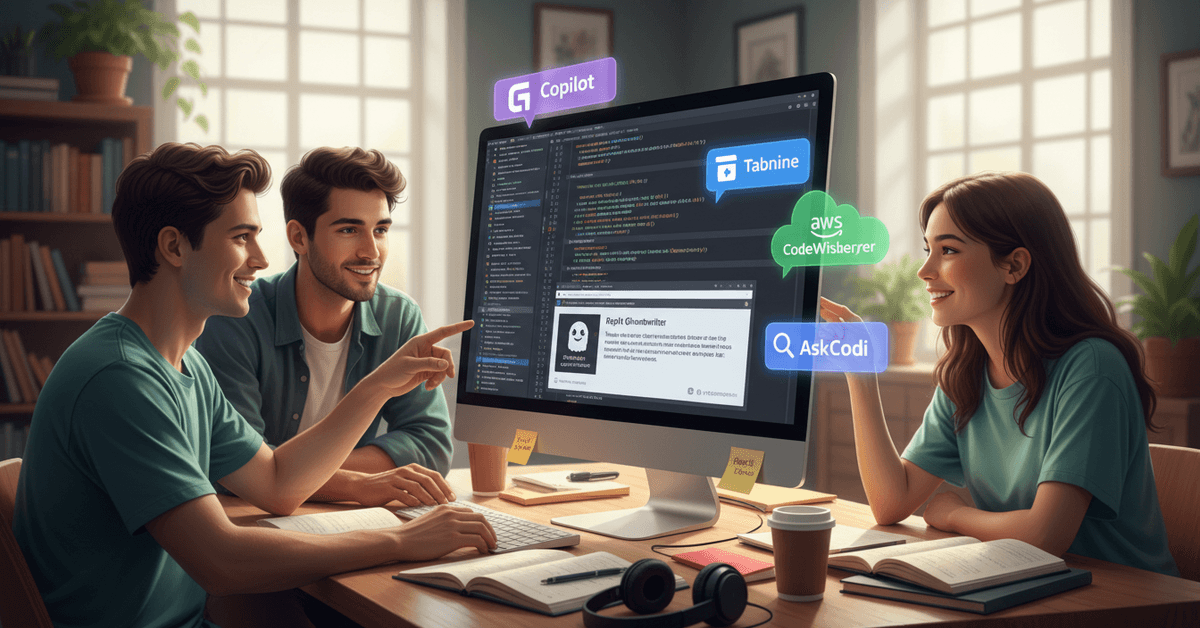
For beginners, the most useful behavior is that Copilot works contextually. It reads the code already in your file and generates suggestions that fit your specific situation, not just a generic example pasted from documentation.
Free access is available for verified students through GitHub Education. For everyone else, paid tiers apply. The individual plan runs around $10 per month.
One honest limitation: Copilot occasionally suggests code that compiles but has logical errors. Testing everything it outputs is a non-negotiable habit to build early.
Tabnine
Tabnine operates differently from Copilot. It focuses on code completion rather than full-block generation, slipping in suggestions as you type rather than waiting for a comment prompt.
For beginners who find Copilot overwhelming, Tabnine's quieter approach works well. The suggestions are smaller, more frequent, and less likely to hand you a chunk of code you don't understand yet.
A meaningful privacy advantage: Tabnine can run locally, meaning your code never leaves your machine. For anyone building personal projects or learning on sensitive systems, that matters.
The free plan covers most beginner use cases. Advanced AI models require a paid subscription.
Amazon CodeWhisperer
CodeWhisperer is free for individual users. That alone makes it worth mentioning seriously.
It supports Python, JavaScript, and Java well, which covers the majority of beginner learning paths.
The tool adds something others don't emphasize: inline security hints. It flags potential vulnerabilities as you write, which teaches defensive coding habits from day one rather than as an afterthought.
I was skeptical that a free tool from Amazon would perform at the same level as paid competitors, but CodeWhisperer handles standard beginner projects without obvious gaps. For cloud learning specifically, the AWS integration makes it a natural pairing.
Replit Ghostwriter
If downloading an editor feels like too many steps, Replit solves that. The entire environment runs in your browser. Ghostwriter is Replit's built-in AI assistant, which means setup friction is essentially zero.
For students on Chromebooks or anyone working on a borrowed computer, this matters a lot. Open a browser, start a project, get AI assistance. No installation, no configuration.
Ghostwriter handles Python and JavaScript comfortably and mixes in interactive mini-tutorials alongside suggestions. Heavy usage runs into limits on the free plan, but the threshold is generous enough for most learning projects.
Cody by Sourcegraph
Cody takes a different angle. Rather than generating new code, it specializes in understanding existing code. Ask it "what does this function do?" or "why does this loop stop early?" and it gives a chat-style explanation.
For beginners reading open-source projects or trying to understand starter templates, Cody is genuinely useful in a way the other tools aren't.
Reading code is a skill most tutorials underemphasize, and having an AI explain unfamiliar snippets line by line accelerates that skill faster than anything else I've seen.
Works with VS Code and JetBrains. Compatible with public and personal repositories.
AskCodi
AskCodi is smaller and less talked about than the others, but it covers something specific well: algorithm explanation at a beginner level.
When you're trying to understand why a sorting algorithm works, not just what it produces, AskCodi's explanation style tends to be clearer and less jargon-heavy than Copilot's.
Plugins exist for multiple editors. The free plan is enough for early learning. It won't replace Copilot for raw code generation speed, but for understanding foundational concepts, the difference in clarity is worth knowing about.
Comparison: Which Tool Fits Your Situation
| Tool | Free Option | Best For | Editor Support |
|---|---|---|---|
| GitHub Copilot | Students only | Code generation, broad language support | VS Code, JetBrains, others |
| Tabnine | Yes (limited) | Quiet autocomplete, privacy-conscious users | VS Code, JetBrains, more |
| Amazon CodeWhisperer | Yes (individuals) | Free access, security awareness | VS Code, AWS Cloud9 |
| Replit Ghostwriter | Yes (usage cap) | Browser-based learning, zero setup | Browser only |
| Cody by Sourcegraph | Yes | Reading and understanding existing code | VS Code, JetBrains |
| AskCodi | Yes | Algorithm and concept explanation | Multiple editors |
The honest takeaway: start with one free tool, use it for two weeks on a real project, then decide if you need to switch. Switching costs are low.
How to Get More From Whichever Tool You Pick
Read the Explanation Before Accepting the Code
Every tool on this list offers some form of explanation. The temptation is to accept the suggestion and move on. Resist it for the first three months. Reading why the AI recommended a specific approach teaches you patterns that will stick.
Test Every Suggestion
AI tools generate plausible-looking code that occasionally has subtle logical errors. Building the habit of running and testing every accepted suggestion trains you to think critically about code, yours and the AI's.
Useful habits to build alongside your AI assistant:
- Run the suggested code in isolation before integrating it
- Ask the assistant to explain any line you don't immediately understand
- Cross-reference suggestions against official documentation when something seems unusual
- Use Stack Overflow to verify the approaches the AI recommends for anything security-related
Don't Replace Fundamentals, Supplement Them
I genuinely disagree with the advice that AI coding tools make learning syntax less important. The argument goes: why memorize if the AI will generate it? The problem is that when the AI's output has a bug, you need to recognize it.
That requires knowing what correct syntax looks like. Use AI to reduce frustration, not to skip foundations entirely.
Questions People Ask About AI Coding Assistants for Beginners
Q: Is GitHub Copilot worth paying for as a beginner? If you're a verified student, the free access through GitHub Education makes the question easy. For non-students, the $10 monthly cost is reasonable if you're coding daily. If you're still doing occasional tutorials, start with a free tool and upgrade when you hit its ceiling.
Q: Will using AI tools make me a worse programmer long-term? The risk is real but avoidable. The pattern that creates bad habits is accepting suggestions without reading them. Programmers who use AI tools as explanation engines alongside code generators tend to improve faster than those using neither. The key is staying engaged with the output.
Q: Can I use these tools on a Chromebook or low-spec laptop? Replit Ghostwriter is the best option for this situation. The entire environment runs in a browser with no local processing required. Every other tool on this list requires local installation and moderate system resources.
Q: What language should I learn first, and which tool supports it best? Python is the standard recommendation for beginners in 2026, and every tool on this list supports it well. If your goal is web development, JavaScript pairs well with GitHub Copilot or Tabnine specifically. Start with the language, then pick the tool, not the other way around.
Q: Are there privacy risks to using AI coding assistants? Most tools send your code to remote servers to generate suggestions. For personal projects and learning, this is generally acceptable. For anything involving private data, credentials, or corporate code, check the tool's privacy policy before using it. Tabnine's local model option exists specifically for this concern.
Conclusion
Choosing an AI coding assistant in 2026 is less about finding the objectively best tool and more about finding the one that keeps you writing code when you'd otherwise quit for the night.
Start free, stay curious about why the suggestions work, and build the habit of reading before accepting. The technical skill compounds faster than most beginners expect, and the right tool in your corner makes that compounding start sooner.